
Cross-platform overview
See normalized activity from supported social and advertising channels in one operating view.
Socimie features
Run the everyday work across your channels while Socimie monitors the signals around it — conversations, campaign performance, budgets, policy changes and opportunities for improvement.
One intelligence layer across social & ads.
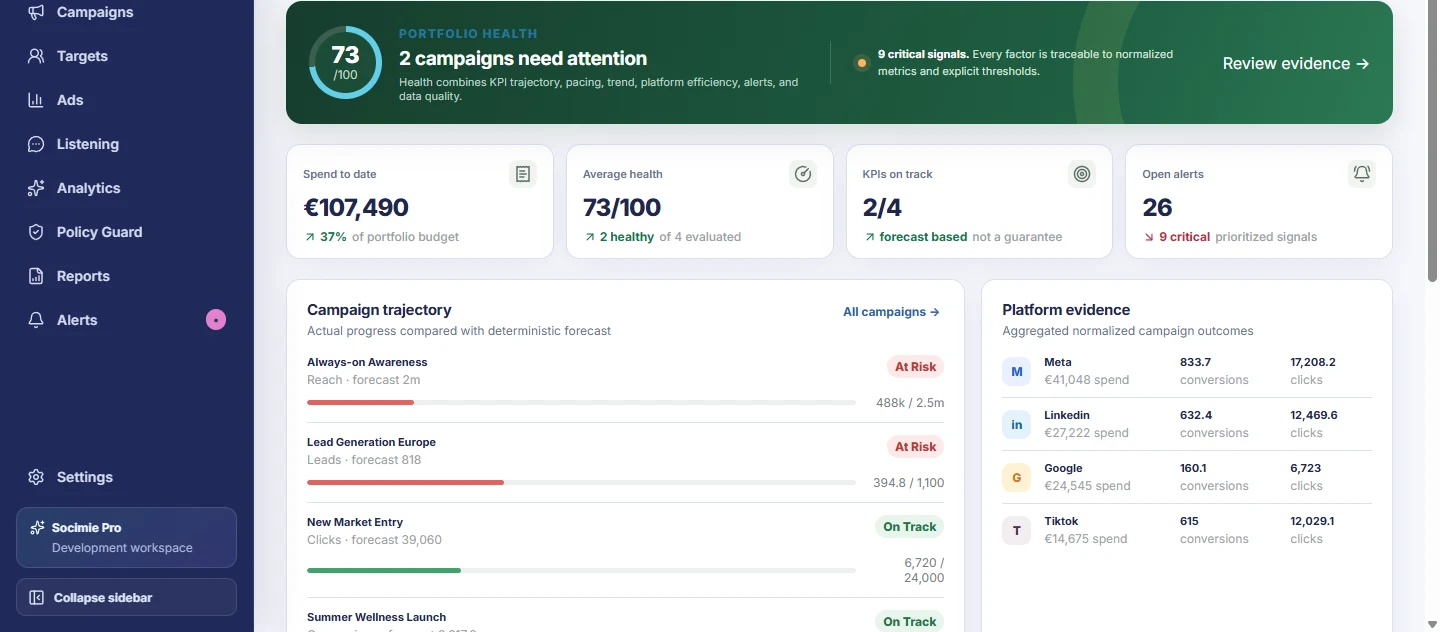
Capability map
The sections below distinguish current product foundations, clearly labelled demo-backed views and later capability boundaries. Status labels appear only where they help explain that boundary.
Unified dashboard
Move through the operation with campaigns, content, analytics, listening, ads and attention signals held in the same product context.
See normalized activity from supported social and advertising channels in one operating view.
Move between content, campaigns, analytics, listening and advertising workflows without rebuilding context.
Relate meaningful activity across channels instead of treating every network as an isolated system.
See which campaigns, conversations, policy findings or tasks require review.
AI Social Listening
Start with the outcome you want to understand. The current foundation turns plain-language intent into structured source plans and keeps coverage limits visible.
Describe a monitoring goal instead of beginning with Boolean operators and provider syntax.
Compile intent, entities, terms, exclusions, languages and markets into inspectable provider plans.
Use explicit exclusions and deterministic suggestions to reduce irrelevant captured records.
Group permitted captured records by stored topics and recurring terms.
Filter captured records by source, sentiment, market, entity type, target evidence and topic.
The product direction is to surface material changes, not only a chronological feed.
Summarize the records Socimie is permitted to receive without presenting them as the whole public conversation.
Route important captured signals into reviewable alerts as supported data access becomes available.
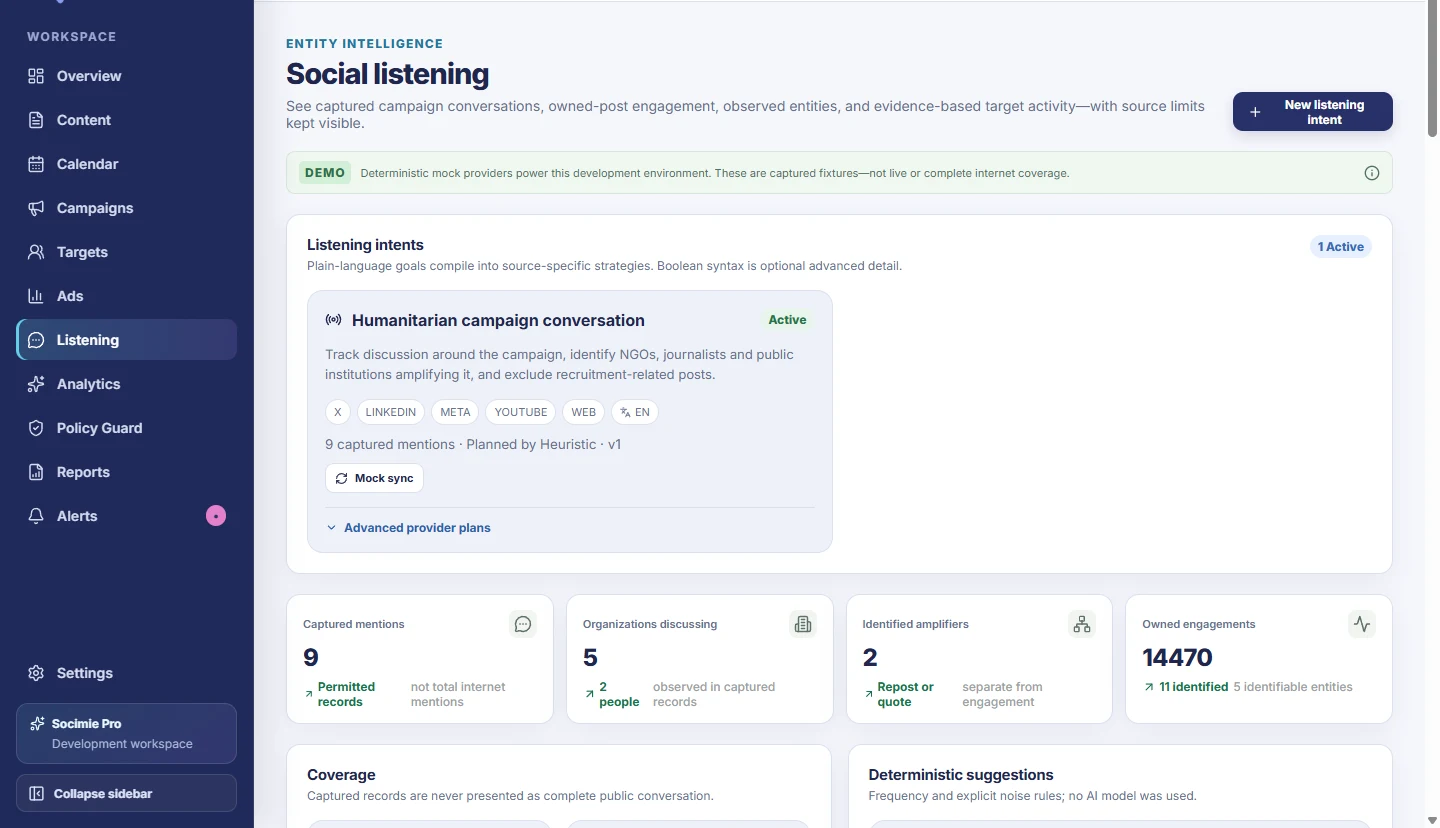
The live screen currently uses deterministic mock providers. Production AI planning and live provider coverage are not represented as available.
Ads Monitor
Compare normalized paid-media performance and focus review on material changes, pacing problems and evidence-backed signals.
Evaluate meaningful movement in CPC, CPA, CTR and other normalized KPIs when data is available.
Identify campaigns spending materially ahead of or behind the plan.
Compare relative efficiency across supported campaign, market and platform slices.
The monitoring design can flag deteriorating creative performance when sufficient history is available.
Highlight supported placements that may require review once authorized placement data is connected.
Surface spend-limit and pacing risks without changing a campaign automatically.
Prioritize reviewable signals over constant manual dashboard checking.
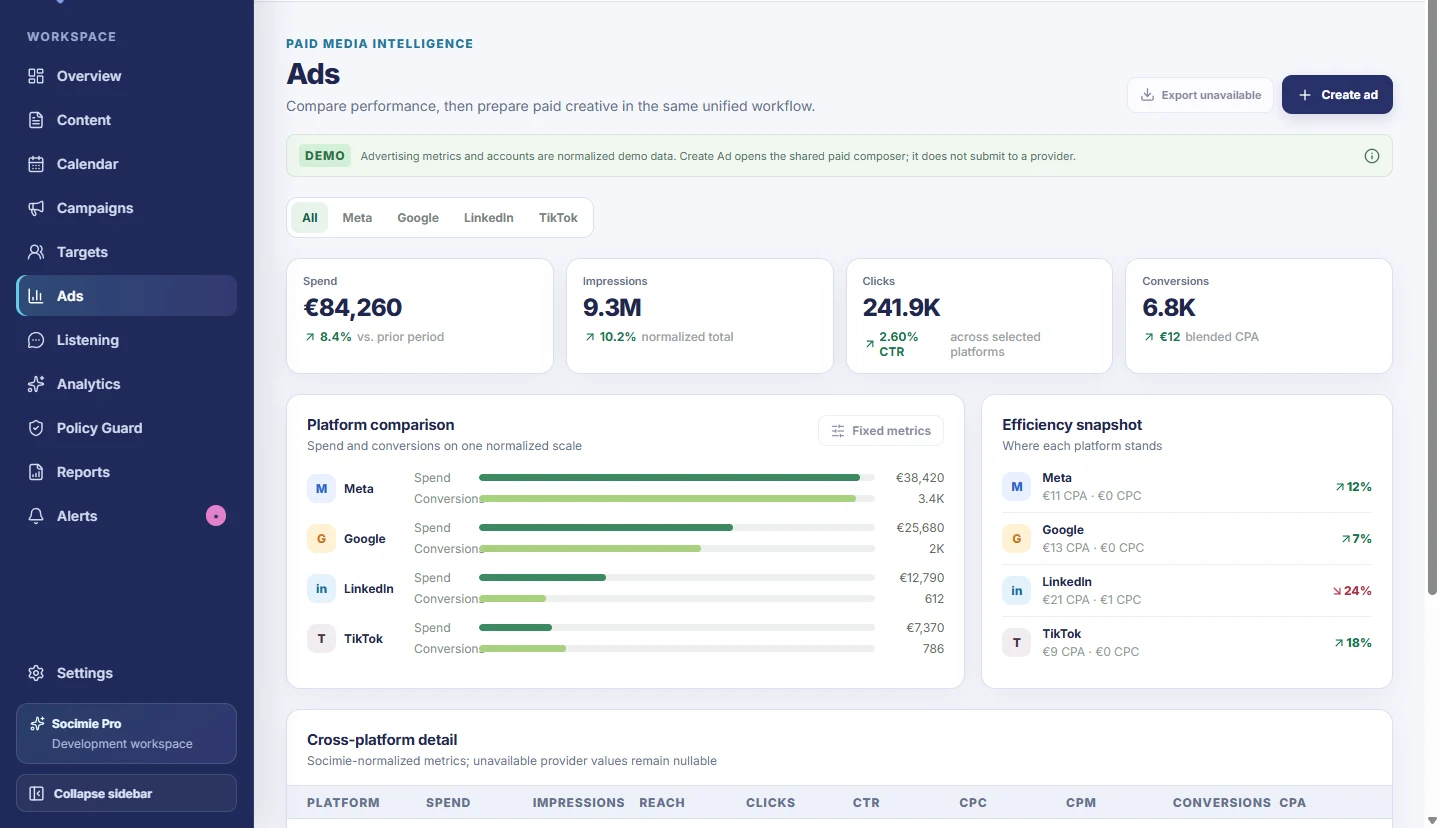
The current Ads view uses normalized demo data. Live monitoring depends on approved integrations and authorized account access.
Optimization Intelligence
Put a proposed next step beside the reason, evidence and confidence context that produced it—while keeping execution with the user.
Translate supported performance changes into proposed next actions.
Show why Socimie is suggesting a review or change.
Identify the metrics, thresholds and observations behind the recommendation.
Communicate signal strength and suppress recommendations when evidence is insufficient.
Keep budget, publishing, policy and campaign decisions explicitly reviewable.
The sample campaign has moved outside its recent seven-day range.
Review Creative B and consider reducing its allocation by 12%.
Example recommendation pattern using sample values.
Recommendations are advisory. Socimie does not make autonomous optimization changes in the current product.
Budget Intelligence
Relate allocation, spend velocity, duration and relative efficiency before proposing where a controlled test may be useful.
See how budget is distributed across campaigns, markets or supported channels.
Compare actual spend with planned pace across timezone-aware campaign dates.
Compare normalized CPA, CPC, conversions and outcome share where providers supply the metric.
Identify evidence-backed areas for a human-reviewed allocation test.
Show a clearly labelled estimate only when the underlying evidence supports one.
Keep future automation behind user-approved rules, constraints and provider confirmation.
Current allocation
Germany has a 31% lower sample acquisition cost while France has declined for five consecutive sample days.
Example Budget Intelligence preview — no autonomous change.
Policy Guard
Evaluate versioned demo rules market by market, preserve source traceability and separate Socimie predictions from actual platform review decisions.
Store versioned rules, effective dates, markets, sources and policy-change events.
Evaluate whether a rule is relevant to selected platforms, countries, categories and creative content.
Connect findings and requirements to saved drafts and active work.
Keep effective dates and last-verified timestamps attached to source evidence.
Explain which configuration, wording or requirement a person should review.
Return allowed or likely-allowed outcomes when the evaluated demo evidence supports them.
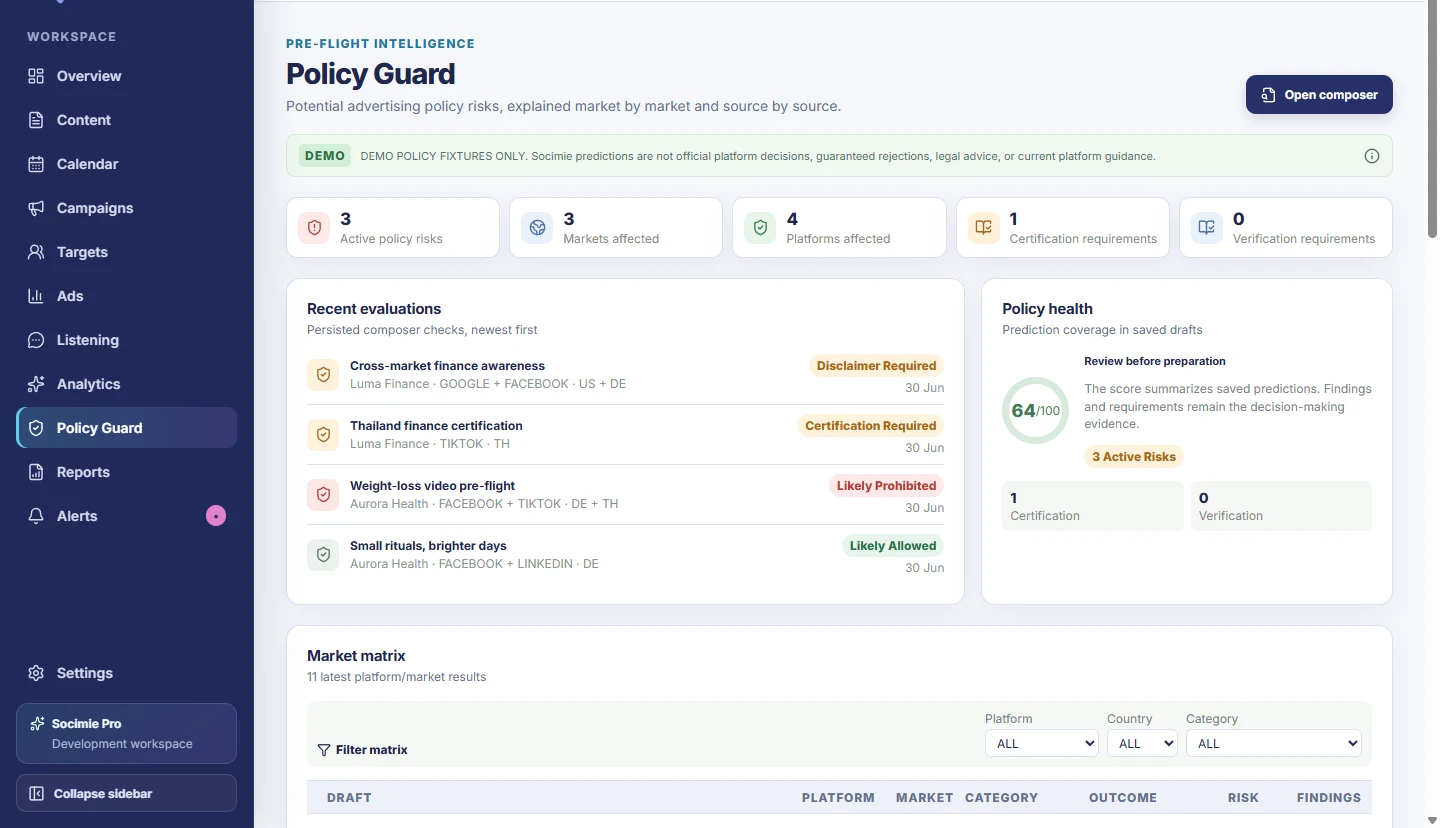
Current rules are demo fixtures, not live official guidance, legal advice or guaranteed platform decisions.
Content & publishing
Prepare master copy, create channel variants, associate campaigns and carry content through visible review states.
Create and persist organic or paid content drafts inside the workspace.
Adapt a shared idea for supported channel surfaces while retaining the source draft.
Autosave revisions and move eligible drafts through awaiting-approval and approval states.
Keep content tied to the campaign and brand context it belongs to.
Evaluate selected platform and market combinations before approval preparation.
Review clearly labelled demo schedules in the current calendar view.
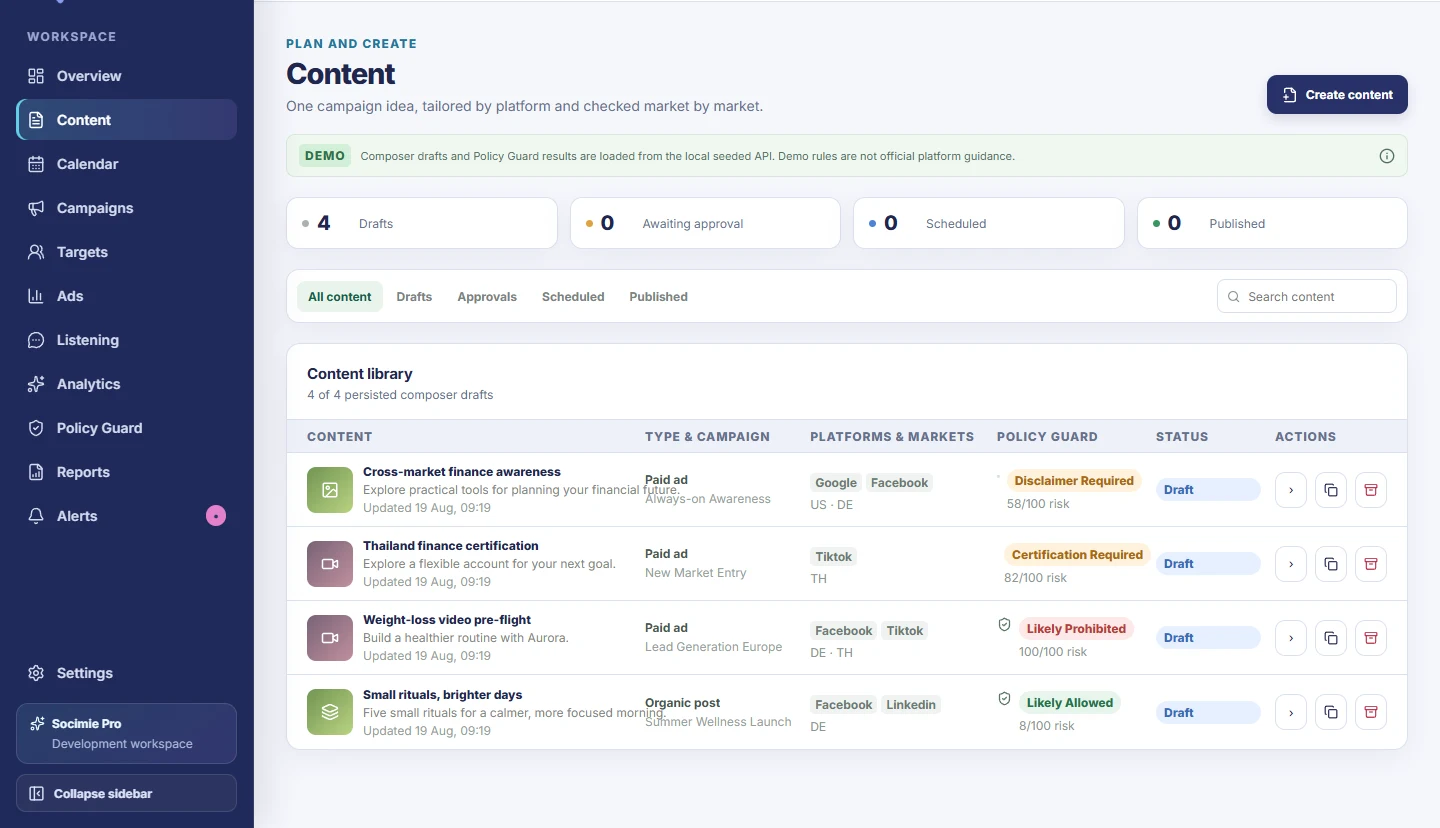
Provider publishing and production scheduling are not implemented. The calendar currently shows demo schedules only.
Campaign management
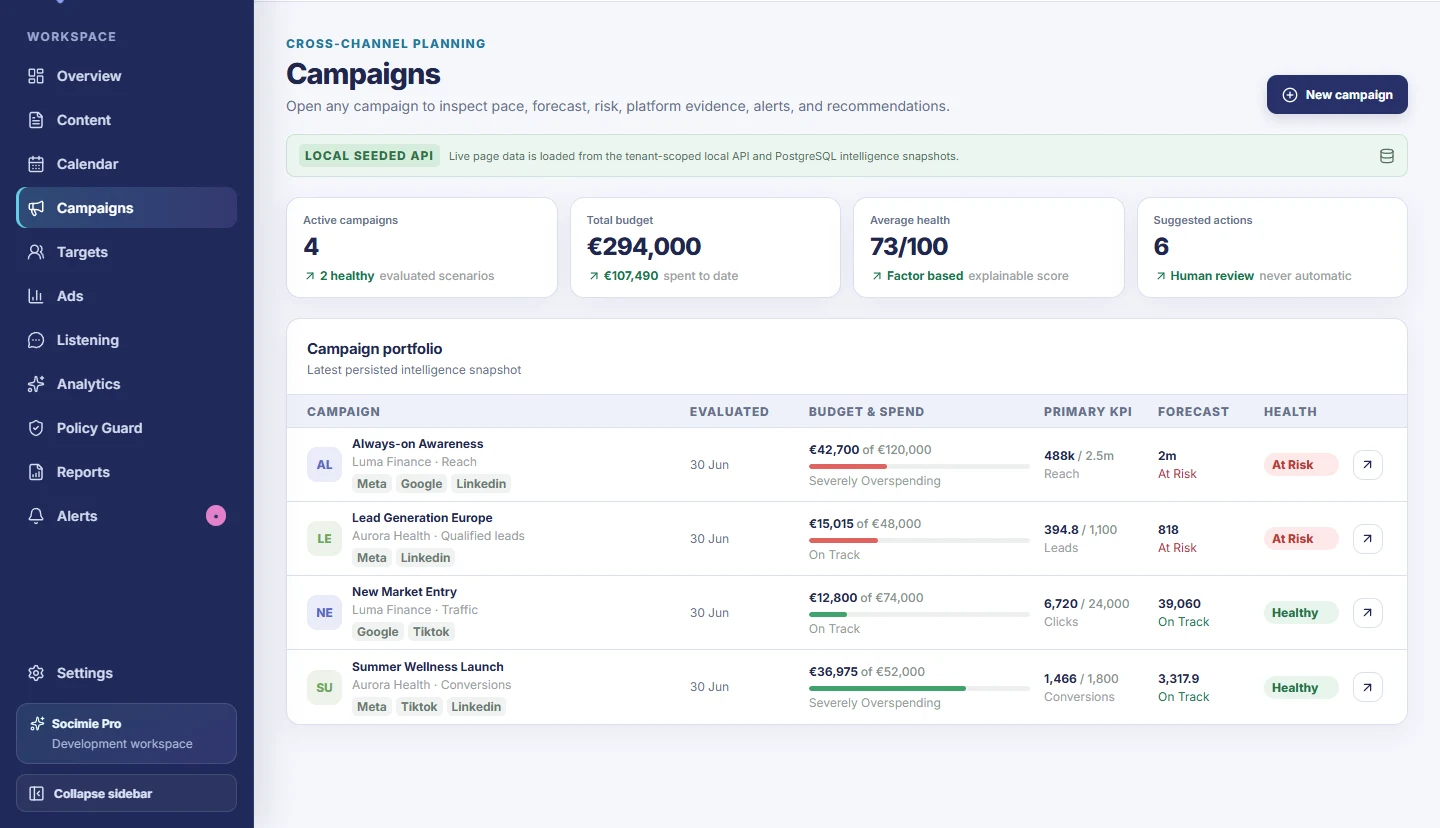
Connect the campaign definition to budgets, markets, channels, audience intent, KPIs and the intelligence snapshot used to evaluate it.
Create, edit and archive campaigns while preserving required history.
Store country intent and provider-neutral channel selections with the campaign.
Use decimal financial values and timezone-aware campaign periods for pacing.
Associate people or organizations as targeting intent—never as proof of reach.
Compare current and forecast values with campaign goals and semantic direction.
Inspect explainable factors, evidence-gated recommendations and persisted alerts.
Analytics & reporting
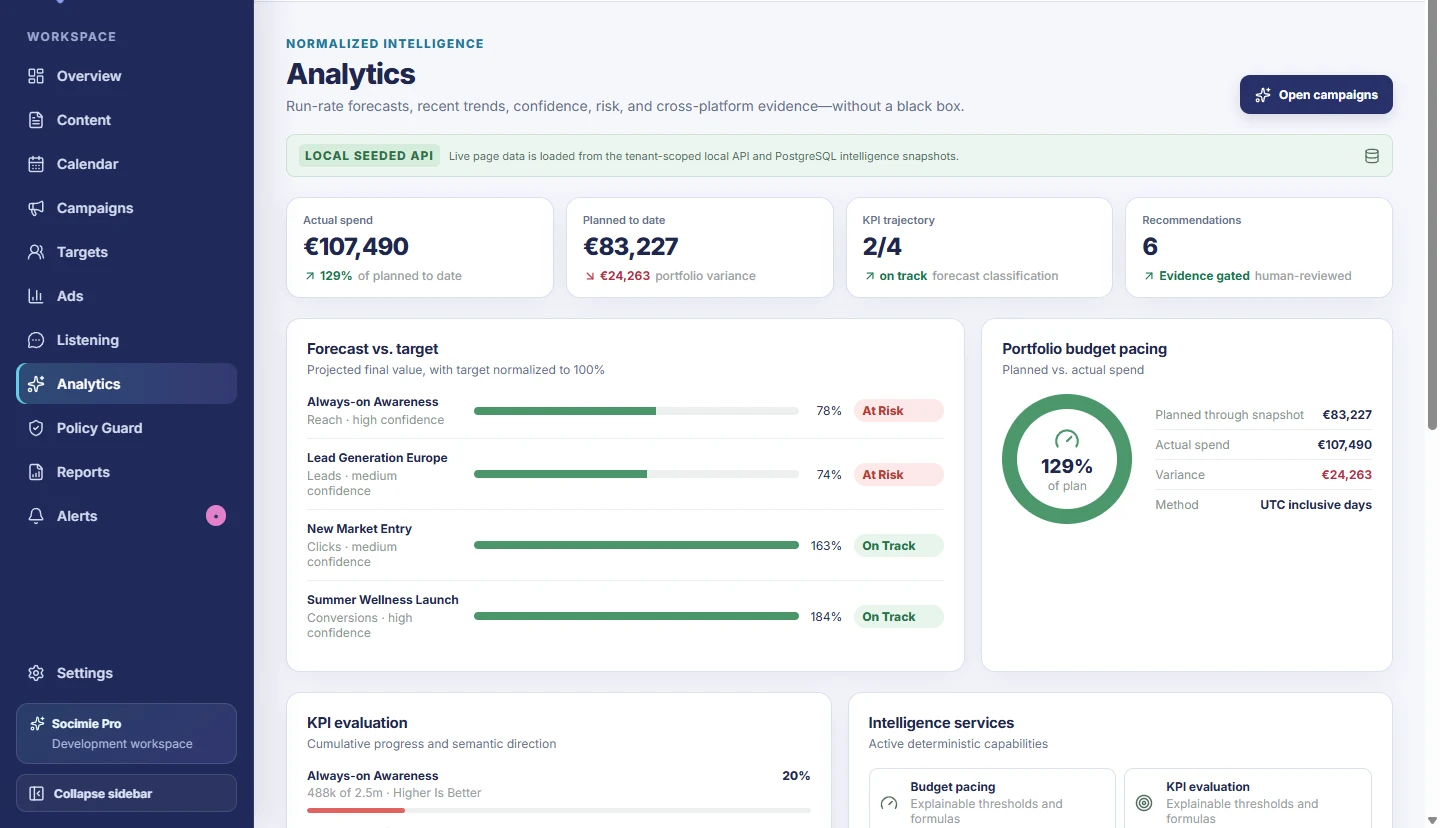
Read normalized portfolio performance, pacing, trajectory and cross-platform evidence without recreating the analysis in several native tools.
Compare normalized metrics while keeping unavailable provider values nullable.
Open campaign-level pace, forecast, risk, alerts and recommendations.
Track cumulative progress, forecast classifications and semantic metric direction.
See recent trends and deterministic run-rate projections with confidence context.
Compare spend share, outcome share and relative efficiency behind an opportunity signal.
Use structured dashboard and report views; provider export is not presented as available.
Team collaboration
The current product preserves approval states and review decisions. A fuller collaboration layer will add dedicated ownership, assignments and communication workflows.
Current drafts can move into awaiting-approval, approved or returned-to-draft states.
Keep explicit human approval separate from policy predictions and provider submission.
Dedicated assignment and ownership workflows are not presented as Early Access-ready yet.
Team comments and collaboration notifications remain later product work.
Production authentication and full role-based authorization remain outside the current foundation.
Awaiting approval, approve and return-to-draft decisions are persisted separately from platform submission.
Ownership, assignments, comments, production role-based access and team notifications are not presented as available yet.
Inside Socimie
Every image in this gallery is a real view from the current local Socimie application using seeded or clearly labelled demo data. Open any frame to inspect it at full size.
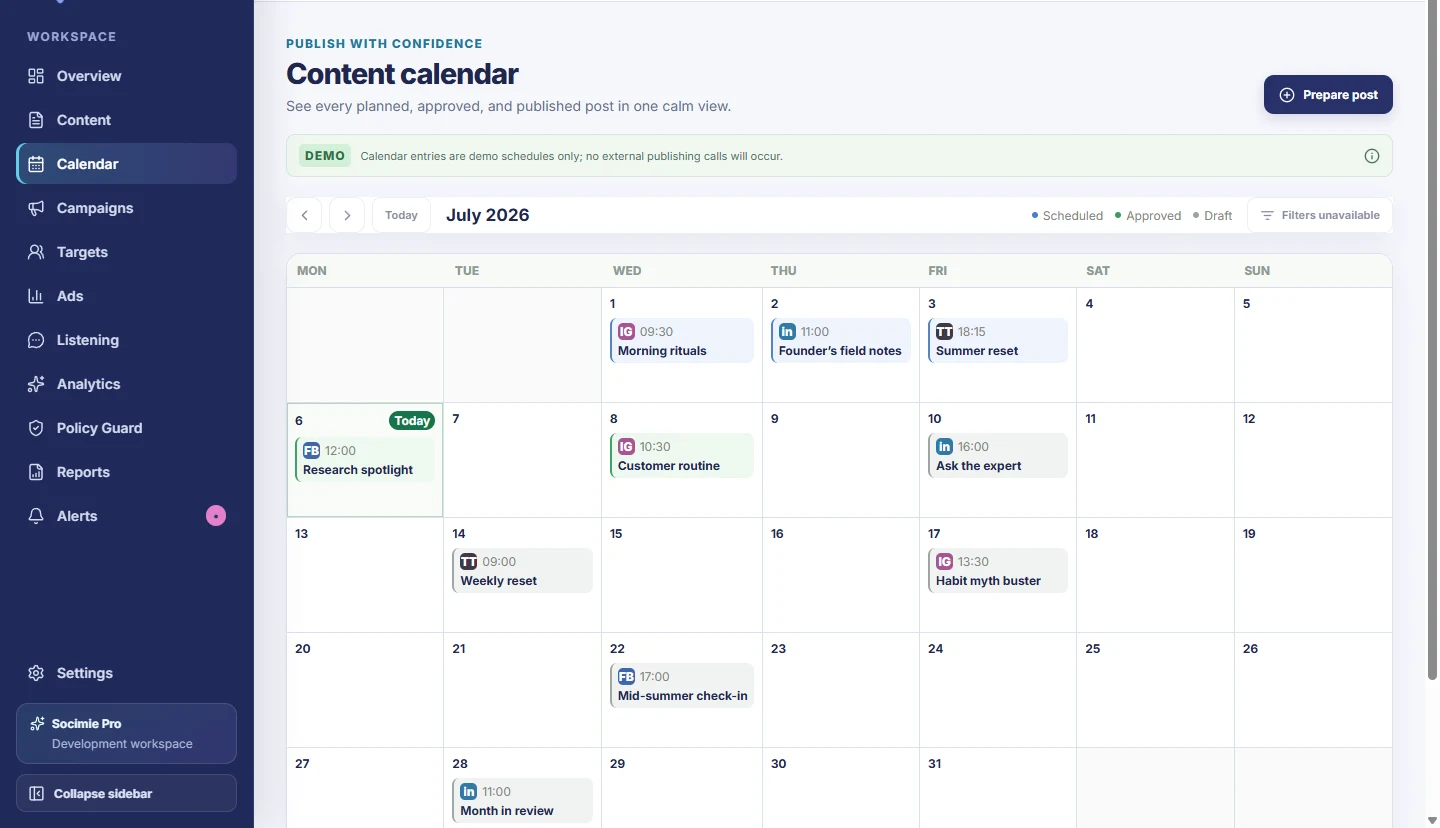
No team screen is included because the dedicated collaboration layer is not implemented. See the complete product story
Choose your next step
Run the work your team already has to do with the intelligence needed to decide what happens next.